
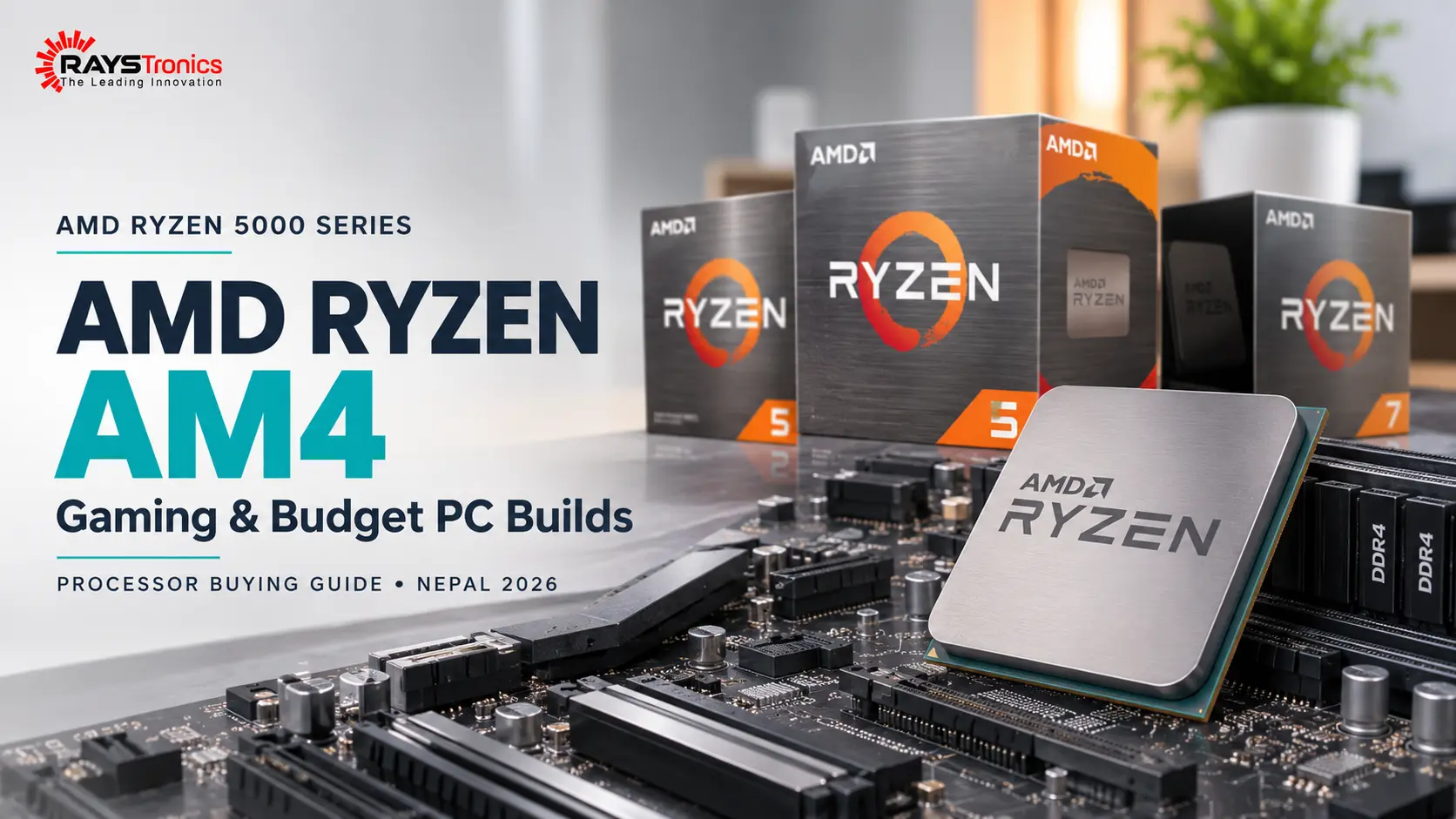
Best AMD Ryzen 5000 Processors in Nepal (2026): AM4 Gaming & Budget PC Buying Guide
Choosing the right desktop processor depends on how you plan to use your computer, whether you intend to install a dedicated graphics card, and how much you want to spend on your PC build. Some users need additional CPU cores for multitasking and productivity, while others prefer an affordable processor for gaming or a desktop that can operate without a separate graphics card.
AMD's Ryzen 5000 series offers several AM4 processors designed around these different requirements. If you are searching for an AMD Ryzen processor in Nepal, this guide compares five Ryzen 5000 processors available at Raystronics: AMD Ryzen 7 5700X, Ryzen 7 5700G, Ryzen 5 5600X, Ryzen 5 5600GT, and Ryzen 5 5600.
Rather than focusing on individual product descriptions, we will compare their specifications, practical capabilities, and prices to help you understand which processor makes the most sense for gaming, productivity, integrated graphics, and budget-oriented desktop builds. We will also explore the differences between staying on AM4 and moving to AMD's newer AM5 platform.
1. AMD Ryzen 5000 Processors: Complete Comparison
All five processors in this guide belong to AMD's Ryzen 5000 desktop family and use the AM4 socket. However, their core configurations, cache capacities, clock speeds, and graphics capabilities differ.
The first distinction to understand is whether a processor includes integrated graphics. The Ryzen 7 5700G and Ryzen 5 5600GT include Radeon Vega graphics, while the Ryzen 7 5700X, Ryzen 5 5600X, and Ryzen 5 5600 require a dedicated graphics card for display output.
| Processor | Cores / Threads | Base / Boost | L3 Cache | TDP | Integrated Graphics | PCIe | Price |
|---|---|---|---|---|---|---|---|
| AMD Ryzen 7 5700X | 8 / 16 | 3.4 / 4.6 GHz | 32 MB | 65W | No | 4.0 | NPR 28,000 |
| AMD Ryzen 7 5700G | 8 / 16 | 3.8 / 4.6 GHz | 16 MB | 65W | Radeon Vega 8 | 3.0 | NPR 39,300 |
| AMD Ryzen 5 5600X | 6 / 12 | 3.7 / 4.6 GHz | 32 MB | 65W | No | 4.0 | NPR 23,500 |
| AMD Ryzen 5 5600GT | 6 / 12 | 3.6 / 4.6 GHz | 16 MB | 65W | Radeon Vega 7 | 3.0 | NPR 34,000 |
| AMD Ryzen 5 5600 | 6 / 12 | 3.5 / 4.4 GHz | 32 MB | 65W | No | 4.0 | NPR 22,500 |
All five processors use the Zen 3 architecture, support DDR4 memory, and have a default TDP of 65W. Their most significant differences are core count, cache capacity, integrated graphics, and PCIe support.
The Ryzen 7 5700X offers eight cores and 32 MB of L3 cache, while the Ryzen 7 5700G has the same core count but includes Vega 8 graphics and 16 MB of L3 cache. The Ryzen 5 models provide six cores and twelve threads, with the 5600GT offering integrated graphics and the 5600X and 5600 requiring a dedicated GPU.
2. Understanding the AMD AM4 Platform
AM4 is AMD's desktop processor platform used by multiple Ryzen generations, including the Ryzen 5000 series featured in this guide. It supports DDR4 memory and offers a range of compatible motherboard options.
One reason buyers consider AM4 is the ability to build a desktop around existing DDR4 components or upgrade a compatible Ryzen system without replacing every major component.
However, processor compatibility depends on the exact motherboard model and BIOS version. Not every AM4 motherboard automatically supports every Ryzen 5000 processor. Always check the motherboard manufacturer's CPU support list before purchasing.
AM4 vs AM5: What Is the Difference?
| Platform | AM4 | AM5 |
|---|---|---|
| Processor Family | Ryzen 5000 and supported earlier generations | Ryzen 7000, 8000 and 9000 desktop families |
| Socket | AM4 | AM5 |
| Memory | DDR4 | DDR5 |
| PCIe Support | Depends on processor and motherboard | Modern PCIe 5.0 platform capabilities |
| Upgrade Approach | Compatible AM4 processor upgrades | Newer processor platform requiring AM5 motherboard and DDR5 |
AM4 remains a practical option for buyers who want to build an affordable DDR4 desktop or upgrade an existing compatible system. AM5, on the other hand, provides access to newer Ryzen processor generations and DDR5 memory.
AM4 can still be a sensible choice for budget-oriented builds and existing system upgrades. However, if you are planning a completely new desktop or want to explore newer Ryzen processor generations, comparing AM5 options may help you make a more informed decision.
Explore our complete AMD Ryzen AM5 Processors Buying Guide at Raystronics →
3. Best AMD Ryzen Processors for Gaming with a Dedicated Graphics Card
For gaming builds that already include a dedicated graphics card, the Ryzen 7 5700X, Ryzen 5 5600X, and Ryzen 5 5600 are the three processors worth comparing.
All three require a separate graphics card for display output and support PCIe 4.0. However, they differ in core count, clock speeds, and price, making them suitable for different gaming and multitasking requirements.
Ryzen 7 5700X vs Ryzen 5 5600X vs Ryzen 5 5600
| Comparison | 5700X | 5600X | 5600 |
|---|---|---|---|
| Cores / Threads | 8 / 16 | 6 / 12 | 6 / 12 |
| Base Clock | 3.4 GHz | 3.7 GHz | 3.5 GHz |
| Maximum Boost | 4.6 GHz | 4.6 GHz | 4.4 GHz |
| L3 Cache | 32 MB | 32 MB | 32 MB |
| Integrated Graphics | No | No | No |
| PCIe Support | 4.0 | 4.0 | 4.0 |
| Default TDP | 65W | 65W | 65W |
| Raystronics Price | NPR 28,000 | NPR 23,500 | NPR 22,500 |
What Can These Processors Handle?
| Use Case | 5700X | 5600X | 5600 |
|---|---|---|---|
| Gaming | Gaming with additional CPU cores for demanding background tasks | Mainstream gaming with a dedicated GPU | Budget-oriented gaming with a dedicated GPU |
| Multitasking | 8 cores and 16 threads for heavier workloads | 6 cores and 12 threads for general multitasking | 6 cores and 12 threads for everyday tasks |
| Programming | Development and more demanding parallel workloads | General programming and development | Everyday programming and learning |
| Content Creation | More CPU resources for demanding editing tasks | General editing and multimedia projects | Lighter editing and general content work |
The Ryzen 7 5700X is the eight-core option in this group. Its additional cores and threads can be useful for users who game while running background applications or regularly perform CPU-intensive tasks.
The Ryzen 5 5600X and Ryzen 5 5600 offer similar six-core configurations. The 5600X has a higher rated base clock and maximum boost clock, while the 5600 is the less expensive option.
All three require a dedicated graphics card. Actual gaming performance depends heavily on the GPU, resolution, game and other system components.
Ryzen 5 5600X vs Ryzen 5 5600: Is the Difference Worth NPR 1,000?
These two processors are particularly similar. Both have six cores, twelve threads, 32 MB of L3 cache, and a 65W default TDP.
The 5600X offers a 3.7 GHz base clock and up to 4.6 GHz boost, compared with 3.5 GHz and 4.4 GHz on the Ryzen 5 5600.
At the supplied Raystronics prices, the difference is only NPR 1,000. Buyers can therefore compare the higher rated clocks of the 5600X against the lower purchase price of the 5600 when choosing between them. The difference in clock specifications does not guarantee a fixed performance improvement in every game or application.
Choose the Ryzen 7 5700X if you want eight cores for heavier multitasking and productivity. Consider the Ryzen 5 5600X for a six-core gaming build with slightly higher rated clocks, or the Ryzen 5 5600 when keeping the processor budget lower is important.
4. Best AMD Ryzen Processors for Desktops Without a Dedicated Graphics Card
Not every desktop requires a separate graphics card from the beginning. Some users primarily need a computer for office applications, browsing, studying, media consumption, and everyday productivity. Others may want to build a system now and add a dedicated graphics card later.
For these requirements, the Ryzen 7 5700G and Ryzen 5 5600GT are the two options in this comparison that include integrated Radeon Vega graphics.
Ryzen 7 5700G vs Ryzen 5 5600GT
| Comparison | Ryzen 7 5700G | Ryzen 5 5600GT |
|---|---|---|
| Cores / Threads | 8 / 16 | 6 / 12 |
| Architecture | Zen 3 | Zen 3 |
| Maximum Boost | 4.6 GHz | 4.6 GHz |
| L3 Cache | 16 MB | 16 MB |
| Integrated Graphics | Radeon Vega 8 | Radeon Vega 7 |
| Graphics Frequency | 2000 MHz | 1900 MHz |
| PCIe Support | 3.0 | 3.0 |
| Default TDP | 65W | 65W |
| Raystronics Price | NPR 39,300 | NPR 34,000 |
What Can These Processors Handle?
| Desktop Requirement | Ryzen 7 5700G | Ryzen 5 5600GT |
|---|---|---|
| Office and Business Work | Suitable for demanding multitasking and office applications | Suitable for everyday office and business applications |
| Browsing and Education | Multiple applications and browser tabs | Study, browsing and everyday computing |
| Light Gaming | Integrated Vega 8 graphics | Integrated Vega 7 graphics |
| Multitasking | 8 cores and 16 threads | 6 cores and 12 threads |
| Initial Build Without GPU | Yes | Yes |
The Ryzen 7 5700G provides eight cores and sixteen threads alongside Radeon Vega 8 graphics. The Ryzen 5 5600GT offers six cores and twelve threads with Vega 7 graphics.
The 5700G is the stronger option on paper for buyers who need additional CPU cores and the larger integrated graphics configuration. The 5600GT provides a lower-cost alternative for everyday desktops and lighter workloads.
Both processors have 16 MB of L3 cache and PCIe 3.0 support. Their integrated graphics make them useful for building a desktop without immediately purchasing a dedicated graphics card. However, their gaming capabilities are limited compared with a system using a suitable discrete GPU.
Consider the Ryzen 7 5700G if you want eight cores and Vega 8 integrated graphics. The Ryzen 5 5600GT is a less expensive six-core alternative for everyday computing and lighter graphics workloads.
5. Best AMD Ryzen Processors for Multitasking and Productivity
For buyers who regularly work with multiple applications, development environments, content creation software, or demanding desktop workloads, processor core count becomes an important consideration.
Among these five processors, the Ryzen 7 5700X and Ryzen 7 5700G both provide eight cores and sixteen threads. The Ryzen 5 5600X and Ryzen 5 5600 offer six-core alternatives for users whose workloads are less demanding.
| Workload | Recommended Option | Why Consider It? |
|---|---|---|
| Heavy Multitasking | Ryzen 7 5700X | 8 cores and 16 threads for running multiple demanding applications. |
| Productivity Without a Dedicated GPU | Ryzen 7 5700G | 8 cores and integrated Radeon graphics. |
| Programming and Development | Ryzen 7 5700X | Additional cores for heavier compilation and parallel tasks, with dedicated GPU support. |
| General Productivity | Ryzen 5 5600X | 6 cores and 12 threads for everyday development and productivity. |
The Ryzen 7 models are particularly relevant for workloads that can take advantage of eight cores and sixteen threads. The 5700X is a suitable option when the system includes a dedicated graphics card, while the 5700G offers integrated graphics for users who want a more self-contained desktop configuration.
The six-core Ryzen 5 models remain practical for general desktop use, gaming, and lighter productivity tasks. Buyers should consider the specific software they use rather than assuming that more cores automatically result in faster performance in every application.
6. Which AMD Ryzen AM4 Processor Should You Choose?
Now that we have compared the five processors according to their capabilities, the final choice becomes easier when you start with your intended PC use case.
| Your Main Requirement | Recommended Processor | Reason |
|---|---|---|
| Gaming with a Dedicated GPU and More CPU Cores | Ryzen 7 5700X | 8 cores, 16 threads and 32 MB L3 cache. |
| Desktop Without a Dedicated Graphics Card | Ryzen 7 5700G | 8 cores and integrated Radeon Vega 8 graphics. |
| Mainstream Gaming with a Dedicated GPU | Ryzen 5 5600X | 6 cores, 12 threads and higher rated clocks than the 5600. |
| Everyday Computing Without a Dedicated GPU | Ryzen 5 5600GT | 6 cores and integrated Radeon Vega 7 graphics. |
| Budget Gaming with a Dedicated GPU | Ryzen 5 5600 | 6 cores, 12 threads and the lowest processor price in this selection. |
These are use-case recommendations based on the processors' configurations, not guaranteed performance rankings. Actual results depend on the graphics card, memory, software, cooling, and the specific workloads being used.
7. Should You Stay on AM4 or Upgrade to AM5?
Choosing between AM4 and AM5 depends on whether you are upgrading an existing computer or planning a completely new desktop.
If you already own a compatible AM4 motherboard and DDR4 memory, purchasing a Ryzen 5000 processor can be a practical way to improve your system without replacing the entire platform. The exact processor upgrade depends on motherboard compatibility and BIOS support.
However, buyers planning a new desktop may also want to consider AM5. Its newer Ryzen processor generations, DDR5 memory support, and platform features provide a different upgrade path for users who want to build around newer hardware.
When Does an AM4-to-AM5 Upgrade Make Sense?
| Your Situation | Practical Consideration |
|---|---|
| Already Own an AM4 Motherboard | A compatible Ryzen 5000 upgrade may be more economical than replacing the motherboard and memory. |
| Already Have DDR4 RAM | Staying on AM4 allows you to continue using compatible DDR4 memory. |
| Building a Completely New PC | Compare the complete cost and capabilities of AM4 and AM5 before selecting a platform. |
| Planning Future Processor Upgrades | AM5 provides access to newer supported Ryzen processor generations. |
| Want DDR5 Memory | AM5 is the appropriate platform for a DDR5-based Ryzen desktop build. |
An AM4-to-AM5 upgrade is more than replacing the processor. The new platform requires a compatible AM5 motherboard and DDR5 memory. Your existing graphics card, storage, power supply, and PC case may be reusable, depending on compatibility and condition.
Thinking About Upgrading from AM4 to AM5?
If you are planning a newer PC build or want to explore AMD's more recent Ryzen processors, compare the AM5 options before making your next purchase.
The AM5 lineup at Raystronics includes the Ryzen 7 9800X3D, Ryzen 7 7800X3D, Ryzen 9 9900X, Ryzen 7 9700X, Ryzen 7 7700, and Ryzen 5 7500F.
8. Things to Consider Before Buying an AM4 Processor
Before selecting a Ryzen 5000 processor, consider the complete system configuration rather than comparing CPU prices alone.
Motherboard and BIOS Compatibility
All five processors use the AM4 socket, but motherboard compatibility varies by model. Some motherboards require a BIOS update before supporting Ryzen 5000 CPUs. Check the manufacturer's CPU support list and update requirements before purchasing.
DDR4 Memory Compatibility
These processors use DDR4 memory, with an official maximum memory specification of DDR4-3200. Compatible memory configurations, supported speeds, and stability also depend on the motherboard and BIOS settings.
Dedicated Graphics Card Requirements
The Ryzen 7 5700X, Ryzen 5 5600X, and Ryzen 5 5600 do not include integrated graphics. A dedicated graphics card is required for display output.
The Ryzen 7 5700G and Ryzen 5 5600GT include integrated Radeon Vega graphics, making them suitable for systems that do not initially include a separate GPU.
PCIe Compatibility
The Ryzen 7 5700X, Ryzen 5 5600X, and Ryzen 5 5600 support PCIe 4.0, while the Ryzen 7 5700G and Ryzen 5 5600GT are limited to PCIe 3.0. Actual motherboard expansion and connectivity also depend on the board's chipset and design.
Cooling and Complete Build Cost
All five processors have a default TDP of 65W, but the appropriate cooling solution depends on the complete system configuration and intended workload.
Also check the included cooler and package contents for the exact product being purchased. Calculate the complete PC budget, including the motherboard, DDR4 memory, graphics card if required, storage, power supply, and cooling solution.
9. Frequently Asked Questions About AMD Ryzen 5000 Processors
1. Which AMD Ryzen 5000 processor is best for gaming?
The Ryzen 7 5700X offers eight cores and sixteen threads for users who want additional CPU resources, while the Ryzen 5 5600X and Ryzen 5 5600 are six-core alternatives for dedicated-GPU gaming builds. The final choice depends on your graphics card, games, and budget.
2. What is the difference between Ryzen 7 5700X and Ryzen 7 5700G?
Both processors have eight cores and sixteen threads. The 5700X has 32 MB of L3 cache and PCIe 4.0 support but no integrated graphics. The 5700G has 16 MB of L3 cache, PCIe 3.0 support, and integrated Radeon Vega 8 graphics.
3. Is Ryzen 5 5600X better than Ryzen 5 5600?
Both have six cores, twelve threads, and 32 MB of L3 cache. The 5600X has higher rated base and boost clock speeds, while the Ryzen 5 5600 is NPR 1,000 cheaper in the supplied Raystronics listings.
4. Which Ryzen 5000 processors have integrated graphics?
The Ryzen 7 5700G includes Radeon Vega 8 graphics, while the Ryzen 5 5600GT includes Radeon Vega 7 graphics. The Ryzen 7 5700X, Ryzen 5 5600X, and Ryzen 5 5600 require a dedicated graphics card.
5. Can I use DDR4 memory with Ryzen 5000 processors?
Yes. The Ryzen 5000 AM4 processors in this guide support DDR4 memory. Their official memory specification is up to DDR4-3200, subject to supported configurations and motherboard compatibility.
6. Can I upgrade from Ryzen 3000 to Ryzen 5000?
Potentially, yes. Some AM4 motherboards support Ryzen 5000 processors after a BIOS update, but compatibility depends on the exact motherboard model. Always check the manufacturer's supported CPU list before upgrading.
7. Is AM4 still worth considering for a new PC build?
AM4 can still be worth considering for budget-oriented desktops and builds that reuse compatible DDR4 memory and motherboard components. However, buyers planning a completely new system should also compare the cost and features of the newer AM5 platform.
8. Can I use an AM4 processor in an AM5 motherboard?
No. AM4 and AM5 use different processor sockets and are not physically interchangeable. Moving from AM4 to AM5 requires a compatible AM5 motherboard and DDR5 memory.
9. Does Ryzen 5 5600GT have integrated graphics?
Yes. The Ryzen 5 5600GT includes Radeon Vega 7 integrated graphics, so a dedicated graphics card is not necessary for basic display output and supported everyday graphics tasks.
10. Is a higher core count always better for gaming?
No. Gaming performance depends on processor architecture, clock behaviour, cache, game optimization, graphics card performance, and other system components. More cores can benefit multitasking and certain workloads, but they do not automatically guarantee higher gaming frame rates.
Explore AMD Ryzen 5000 Processors at Raystronics
Choosing an AMD Ryzen processor becomes easier when you understand what your PC is expected to do. Whether you are building a dedicated-GPU gaming desktop, a computer for everyday productivity, or a system that relies on integrated graphics, the five Ryzen 5000 processors featured in this guide offer different configurations to consider.
The Ryzen 7 5700X provides eight cores and sixteen threads for dedicated-GPU systems. The Ryzen 7 5700G combines eight cores with Radeon Vega 8 graphics, while the Ryzen 5 5600GT offers a six-core integrated-graphics alternative. For dedicated-GPU gaming and budget builds, the Ryzen 5 5600X and Ryzen 5 5600 provide six-core options at different prices.
Compare their capabilities, consider your existing components, and select the processor that makes the most sense for your workload and complete PC building budget.
Explore the available AMD Ryzen processors at Raystronics:
AMD Ryzen 7 5700X — NPR 28,000
AMD Ryzen 7 5700G — NPR 39,300
AMD Ryzen 5 5600X — NPR 23,500
AMD Ryzen 5 5600GT — NPR 34,000
AMD Ryzen 5 5600 — NPR 22,500
Looking for newer Ryzen processors? Compare the available AM5 options in our AMD Ryzen AM5 Processors Buying Guide before deciding on your next PC platform.
Build a desktop around the processor that matches your requirements, existing hardware, and budget.
Processor specifications are based on published AMD product information. Prices are based on the Raystronics product listings supplied for this article. Actual performance depends on system configuration and workload. Confirm motherboard compatibility, BIOS requirements, graphics requirements, and package contents before purchasing.


