
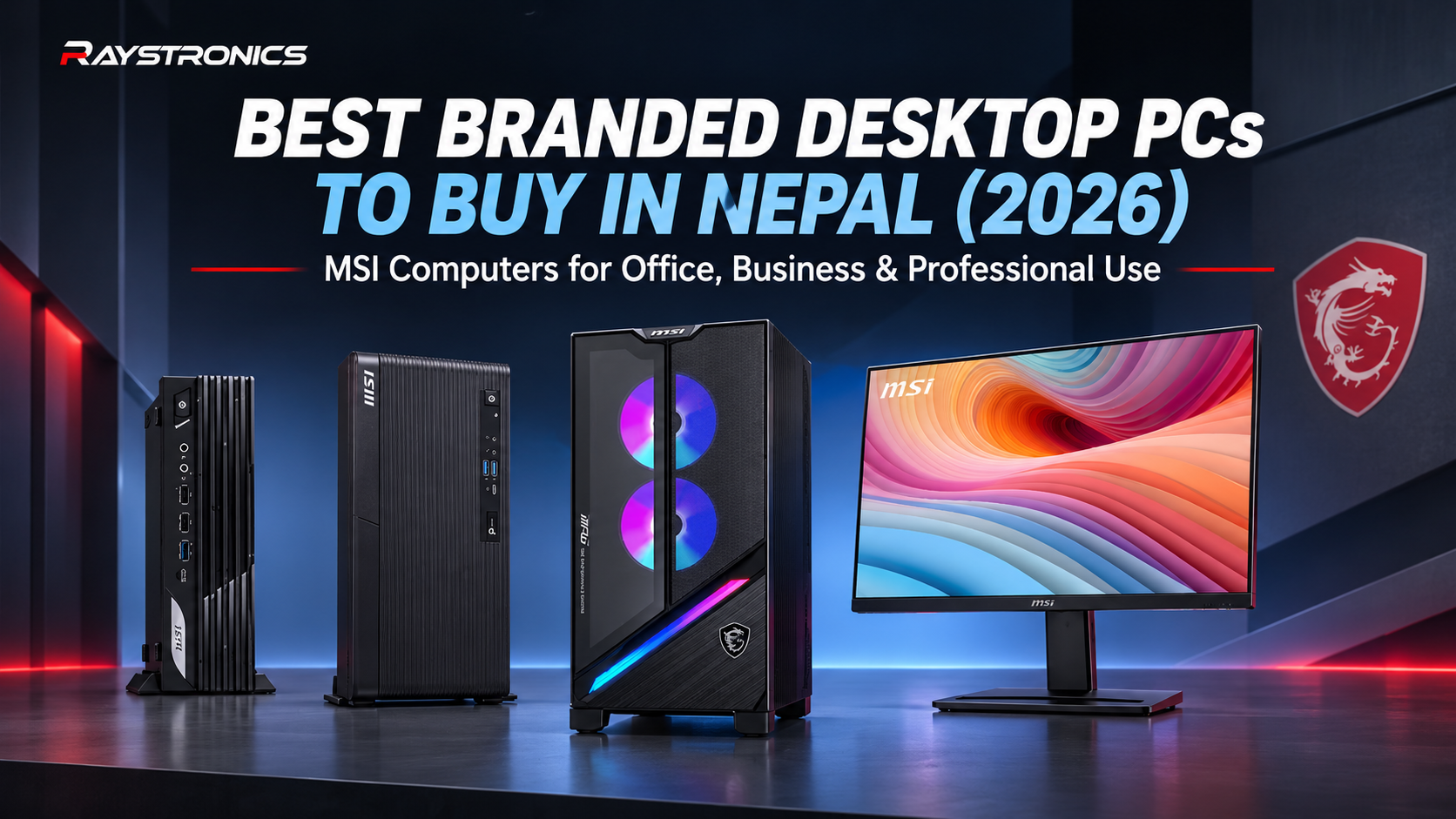
Best Branded Desktop PCs to Buy in Nepal (2026): MSI Computers for Office, Business & Professional Use
Choosing the right desktop computer depends on how you plan to use it. Whether you need a reliable computer for office work, a workstation for business operations, a compact desktop for a limited workspace, or a high-performance system for demanding computing tasks, selecting the right configuration can make a significant difference.
Branded desktop PCs offer a convenient option for buyers who prefer professionally designed systems from established manufacturers. MSI offers different desktop configurations designed to accommodate everyday productivity, business computing, and more demanding workloads.
If you are searching for a branded PC in Nepal, this guide compares four MSI desktop computers available at Raystronics. These include two configurations of the MSI PRO DP180 A14, the compact MSI PRO DP21 14M, and the performance-oriented MSI MPG Infinite X3 AI 2nd.
Rather than simply comparing processor names and specifications, we will explore what each computer can actually be used for, where its strengths lie, and which configuration makes the most sense for your requirements.
1. What Should You Consider Before Buying a Branded Desktop PC?
Before choosing a desktop computer, it is important to understand the specifications that directly affect its performance and suitability for your daily workload. A computer designed for basic office operations may not be the right choice for demanding professional applications.
Processor and Computing Performance
The processor (CPU) handles the instructions and calculations required to run applications. Its performance influences how efficiently your computer handles everyday tasks, multitasking, and demanding workloads.
For general office work, accounting, browsing, and business applications, an Intel Core i5 processor can provide capable performance. Users with more demanding processing requirements may benefit from a higher-performance processor such as the Intel Core Ultra 7.
RAM: Understanding the Difference Between 8GB and 16GB
RAM determines how much information your computer can keep readily available while applications are running. Having sufficient memory helps maintain a smoother experience when switching between different programs.
8GB DDR5 RAM: Suitable for everyday computing, document editing, web browsing, email, and routine office applications. It provides a practical starting point for users with relatively straightforward computing requirements.
16GB DDR5 RAM: Provides more room for multitasking, larger spreadsheets, multiple browser tabs, communication tools, and several applications running simultaneously. It is generally the more comfortable choice for professional and business environments.
SSD Storage
A Solid State Drive (SSD) improves everyday computer responsiveness compared with traditional hard drives. It helps your computer boot faster, open applications quickly, and access stored files efficiently.
A 512GB SSD offers a practical starting capacity for operating system files, office applications, documents, business software, and everyday storage requirements.
Integrated vs. Dedicated Graphics
Graphics capability is another important consideration when purchasing a desktop computer. Integrated graphics are suitable for everyday display output, office applications, video playback, and basic visual tasks.
Dedicated graphics cards provide additional processing capabilities for demanding modern games, professional 3D rendering, and GPU-accelerated video editing.
Buyers should always check the installed graphics configuration before purchasing a desktop for graphics-intensive applications. A powerful processor alone does not guarantee strong gaming or GPU-rendering performance.
Upgradeability and Connectivity
One advantage of desktop computers is the flexibility to upgrade certain hardware components. Depending on the model, users may be able to expand RAM, add storage, or install compatible graphics hardware.
It is also worth checking the available USB ports, networking features, wireless connectivity, power supply, and expansion options before making a purchase.
2. MSI PRO DP180 A14 – 8GB DDR5 RAM: A Practical Desktop for Everyday Computing
14th Generation Intel Core i5 Processing
The MSI PRO DP180 A14 with 8GB DDR5 RAM is an office-oriented desktop designed for users who need a dependable system for everyday computing.
It features the 14th Generation Intel Core i5-14400 processor, providing a capable foundation for routine productivity applications, business operations, and educational activities.
Its 512GB SSD offers responsive storage for everyday applications and files, while the included MSI 22-inch Full HD 100Hz monitor makes it a convenient option for setting up a complete desktop workstation.
Designed for Everyday Office and Business Tasks
The DP180 A14 is suitable for users who spend most of their time working with documents, spreadsheets, browsing platforms, and business applications.
Its practical use cases include:
- Office and administrative work: Handle documents, spreadsheets, presentations, email, and everyday office applications.
- Accounting and billing: Run accounting software, manage financial records, and work with routine billing applications.
- Education and research: Complete assignments, attend online classes, browse educational resources, and prepare presentations.
- Home computing: Manage personal documents, browse the internet, watch videos, and perform everyday digital activities.
MSI PRO DP180 A14 – Key Specifications
| MSI PRO DP180 A14 – 8GB Configuration | |
|---|---|
| Processor | Intel Core i5-14400 |
| RAM | 8GB DDR5 |
| Storage | 512GB SSD |
| Graphics | Intel UHD Graphics 730 |
| Connectivity | Wi-Fi and Bluetooth |
| Monitor | MSI 22-inch FHD 100Hz |
This configuration is suitable for students, home users, administrative professionals, and small businesses that primarily need a computer for everyday office applications, document management, browsing, and routine productivity. Users who frequently multitask should consider the 16GB version.
Our Verdict: The MSI PRO DP180 A14 with 8GB RAM is a practical entry-level option for everyday office and home computing. Its Intel Core i5 processor and included monitor make it suitable for users looking for a complete desktop setup without requiring a high-memory configuration.
3. MSI PRO DP180 A14 – 16GB DDR5 RAM: A Better Choice for Professional Multitasking
The Same Core i5 Processor with More Memory
If you prefer the DP180 platform but need more memory for your daily work, the 16GB configuration is worth considering.
The MSI PRO DP180 A14 with 16GB DDR5 RAM features the same Intel Core i5-14400 processor as the 8GB version. However, doubling the installed memory provides more flexibility for users who regularly switch between multiple applications.
This configuration is particularly useful for business environments where employees may need to work with spreadsheets, accounting software, documents, browsers, and communication platforms throughout the day.
Better Suited to Professional Workloads
Compared with the 8GB version, the 16GB configuration offers more memory headroom for multitasking.
Its practical use cases include:
- Business productivity: Manage spreadsheets, business documents, presentations, email, and administrative applications.
- Accounting and financial operations: Work with accounting software, financial records, billing systems, and larger spreadsheets.
- Professional multitasking: Keep multiple browser tabs, office applications, communication tools, and documents open simultaneously.
- Remote work: Handle online meetings, document collaboration, research, and everyday professional activities.
MSI PRO DP180 A14 – Key Specifications
| MSI PRO DP180 A14 – 16GB Configuration | |
|---|---|
| Processor | Intel Core i5-14400 |
| RAM | 16GB DDR5 |
| Storage | 512GB SSD |
| Graphics | Intel UHD Graphics 730 |
| Connectivity | Wi-Fi and Bluetooth |
| Monitor | MSI 22-inch FHD 100Hz |
This configuration is particularly suitable for office professionals, accountants, business owners, and users who regularly work with multiple applications. The additional memory provides greater flexibility for multitasking and makes it a more comfortable option for professional daily use.
Our Verdict: Among the two DP180 configurations, the 16GB version is our preferred choice for business productivity and regular multitasking. It retains the same Intel Core i5-14400 processor while providing twice the memory capacity, making it a more balanced configuration for professional office environments.
4. MSI PRO DP21 14M – 8GB DDR5 RAM: A Compact Desktop for Space-Saving Workstations
Compact Design with 14th Generation Intel Core i5 Processing
Not every workplace has enough room for a traditional desktop tower. The MSI PRO DP21 14M addresses this requirement with a compact desktop design that helps users maintain a more organized workspace.
Despite its smaller physical footprint, this desktop features the same 14th Generation Intel Core i5-14400 processor found in the DP180 configurations.
Its compact form makes it particularly useful for workplaces where desk organization and efficient space utilization matter. It also includes 8GB DDR5 RAM, a 512GB SSD, and a 22-inch Full HD 100Hz monitor.
Where Does the MSI PRO DP21 Make Sense?
The DP21 is designed for users who want the functionality of a desktop computer without occupying as much physical space as a conventional tower.
Its practical use cases include:
- Small business workstations: Set up computers for reception areas, administrative desks, and small business operations.
- Educational environments: Use it for computer labs, research stations, and student workspaces where compact equipment is beneficial.
- Reception and front-desk operations: Handle customer records, appointment systems, documents, and everyday administrative activities.
- Home offices: Create a desktop setup without dedicating excessive space to a large computer tower.
MSI PRO DP21 14M – Key Specifications
| MSI PRO DP21 14M – Specifications | |
|---|---|
| Processor | Intel Core i5-14400 |
| RAM | 8GB DDR5 |
| Storage | 512GB SSD |
| Graphics | Intel UHD Graphics 730 |
| Form Factor | Compact desktop |
| Connectivity | Wi-Fi and Bluetooth |
| Monitor | 22-inch FHD 100Hz |
The DP21 is a suitable option for small businesses, reception counters, educational environments, and home offices where desk space is limited. It provides the processing capabilities of an Intel Core i5 desktop in a compact form factor, making it a practical choice for space-conscious users.
Our Verdict: The MSI PRO DP21 14M stands out because of its compact design. It is a practical choice for buyers who want a capable desktop workstation without the larger footprint of a traditional tower. Its 8GB memory is suitable for routine applications, although users expecting heavier multitasking should consider additional RAM.
5. MSI MPG Infinite X3 AI 2nd – Intel Core Ultra 7 265K: A High-Performance Desktop Platform
Powerful Intel Core Ultra 7 Processing
The MSI MPG Infinite X3 AI 2nd belongs to a different performance category from the three MSI PRO desktop configurations.
It features the Intel Core Ultra 7 265K processor, offering a high-performance CPU platform for demanding processing requirements, advanced multitasking, software development, and processor-intensive applications.
Unlike the office-focused DP180 and DP21 configurations, the MPG Infinite X3 is built around a more advanced hardware platform. Its 360mm AIO liquid cooler, 1200W 80+ Gold power supply, and modern networking features distinguish it from conventional business desktops.
Advanced Cooling and Power Delivery
The system includes a 360mm AIO liquid cooler designed to manage processor temperatures during demanding workloads. This cooling solution is particularly relevant for a high-performance processor that may operate under sustained processing loads.
Another important component is its 1200W 80+ Gold power supply. This provides substantial power capacity for compatible hardware configurations and gives users room to consider additional components in the future.
Modern Networking and Connectivity
The MPG Infinite X3 AI 2nd also offers several networking features designed for modern desktop environments.
- 5G LAN: Provides high-speed wired networking capability when used with compatible network equipment.
- Wi-Fi 6E: Supports modern wireless networking, including compatible 6GHz networks.
- Bluetooth: Allows connections with compatible wireless peripherals and accessories.
What Can You Use the MSI MPG Infinite X3 For?
Its Intel Core Ultra 7 processor makes this desktop suitable for applications that place heavier demands on CPU processing power.
Potential use cases include:
- Software development: Work with demanding development environments, compiling projects, and processor-intensive programming workloads.
- Professional multitasking: Run multiple demanding applications and manage complex workflows.
- CPU-intensive productivity: Handle applications that benefit from higher processing capability and multiple CPU cores.
- Future hardware expansion: Build upon the system with compatible dedicated graphics hardware, additional memory, and storage.
MSI MPG Infinite X3 AI 2nd – Key Specifications
| MSI MPG Infinite X3 AI 2nd – Specifications | |
|---|---|
| Processor | Intel Core Ultra 7 265K |
| RAM | 16GB DDR5 |
| Storage | 512GB SSD |
| Graphics | Integrated Intel Graphics; no dedicated GPU installed |
| Cooling | 360mm AIO Liquid Cooler |
| Networking | 1 x 5G LAN |
| Wireless Connectivity | Wi-Fi 6E and Bluetooth |
| Power Supply | 1200W 80+ Gold |
An Important Consideration: The Dedicated Graphics Card
One important detail buyers should understand is that this particular MSI MPG Infinite X3 AI 2nd configuration does not include a dedicated graphics card.
Although the Intel Core Ultra 7 265K is a powerful processor, its integrated Intel Graphics should not be confused with the performance of a dedicated gaming GPU.
Users interested in demanding modern gaming, professional 3D rendering, or GPU-accelerated video editing should account for the additional cost of installing a compatible dedicated graphics card.
This desktop is suitable for users who prioritize CPU processing capability, demanding productivity workloads, advanced cooling, and future hardware expansion. It is particularly relevant for software developers and performance-focused users who plan to add a dedicated graphics card if their applications require one.
Our Verdict: The MSI MPG Infinite X3 AI 2nd is the most CPU-focused system in this comparison. Its Intel Core Ultra 7 265K processor, 360mm liquid cooler, and 1200W Gold power supply make it an interesting platform for demanding computing and future expansion. However, buyers should remember that this configuration does not include a dedicated GPU and should budget separately for one when required.
View MSI MPG Infinite X3 AI 2nd
6. MSI Branded Desktop PCs: Full Specifications Comparison
The four computers belong to MSI's desktop lineup, but their configurations serve different computing requirements. Comparing their specifications side by side makes it easier to understand where each system stands.
| Specification | DP180 8GB | DP180 16GB | DP21 8GB | MPG Infinite X3 |
|---|---|---|---|---|
| Processor | i5-14400 | i5-14400 | i5-14400 | Ultra 7 265K |
| RAM | 8GB DDR5 | 16GB DDR5 | 8GB DDR5 | 16GB DDR5 |
| Storage | 512GB SSD | 512GB SSD | 512GB SSD | 512GB SSD |
| Graphics | Intel UHD | Intel UHD | Intel UHD | Integrated Intel Graphics |
| Form Factor | Tower | Tower | Compact | Tower |
| Cooling | Air | Air | Air | 360mm AIO |
| Monitor | 22-inch | 22-inch | 22-inch | Not listed as included |
| Main Strength | Everyday computing | Multitasking | Compact design | CPU performance |
What Do These Differences Mean for Buyers?
Processor: The three MSI PRO configurations share the same Intel Core i5-14400 processor. The MPG Infinite X3 uses a more powerful Intel Core Ultra 7 265K platform designed for more demanding processing workloads.
Memory: The 16GB configurations provide more memory headroom than the 8GB models, making them more suitable for professional multitasking.
Physical Design: The DP180 uses a conventional desktop tower, while the DP21 focuses on a compact form factor. The MPG Infinite X3 is a more advanced tower-based system.
Cooling and Power: The MPG Infinite X3 stands apart with its 360mm AIO liquid cooler and 1200W 80+ Gold power supply.
Graphics: The MPG Infinite X3 configuration does not include a dedicated GPU. Buyers should consider their graphics requirements before choosing this system.
Monitor: The three MSI PRO packages include a 22-inch Full HD 100Hz monitor, making them more convenient for buyers setting up a complete workstation. The MPG Infinite X3 listing does not specify an included monitor.
7. Which MSI Desktop PC Is Best for Your Needs?
The best desktop computer is not necessarily the one with the highest specifications. It is the one that meets your actual computing requirements without unnecessary spending.
| User Type | Recommended PC | Reason |
|---|---|---|
| Students | DP180 8GB | Suitable for assignments, browsing, research, and everyday computing. |
| Office Professionals | DP180 16GB | More memory for spreadsheets, documents, and regular multitasking. |
| Small Businesses | DP180 or DP21 | Choose based on memory requirements and available desk space. |
| Compact Workspaces | DP21 8GB | Compact desktop design for space-conscious environments. |
| Software Developers | MPG Infinite X3 | More powerful CPU platform for demanding processing workloads. |
| Performance-Focused Users | MPG Infinite X3 | Advanced cooling, high-capacity PSU, and future hardware expansion potential. |
For most office professionals and business users, the MSI PRO DP180 with 16GB RAM offers a balanced configuration. If available workspace is a priority, the DP21 is a compact alternative.
For users who need significantly more CPU processing capability and plan to expand their hardware, the MPG Infinite X3 AI 2nd offers a different class of desktop platform.
8. Things to Check Before Buying a Branded Desktop PC in Nepal
Before making your purchase, consider the following details to ensure the computer matches your expectations.
Verify the Actual Hardware Configuration
Always check the processor, RAM, SSD capacity, and graphics hardware listed for the specific product. Computers within the same model family can come with different configurations.
Check the Operating System
Some desktop computers are sold with Windows preinstalled, while others may come with FreeDOS. Confirm the operating system and any licensing requirements before purchasing.
Confirm Whether a Monitor Is Included
Some desktop packages include a monitor, keyboard, mouse, or other accessories, while others are sold as standalone towers. Check the package contents carefully to understand what is included in the purchase.
Review Upgrade Options
Check the supported memory capacity, available RAM slots, additional storage connections, and compatibility with future components. This is especially important if you intend to use the computer for several years.
Understand the Graphics Requirements
Integrated graphics are suitable for everyday computing, but demanding games and professional graphics applications may require a dedicated GPU. Do not assume that a high-end processor automatically means high-end graphics performance.
Check Warranty and After-Sales Support
Review the applicable warranty coverage, service conditions, and after-sales support before purchasing. These details matter when choosing a desktop computer for long-term personal or business use.
9. Frequently Asked Questions About Branded Desktop PCs
1. What is a branded desktop PC?
A branded desktop PC is a computer manufactured and sold under an established brand, such as MSI, Dell, HP, or Lenovo. These systems come with manufacturer-designed hardware configurations and product support.
2. Is an MSI desktop PC good for office work?
Yes. MSI PRO desktop configurations are designed for business and productivity environments. Intel Core i5 systems can handle documents, spreadsheets, browsing, accounting applications, and everyday office tasks.
3. Is 8GB RAM enough for a desktop computer?
8GB RAM can handle basic computing, document editing, browsing, and routine office applications. However, 16GB RAM is generally more suitable for users who regularly multitask or operate several applications simultaneously.
4. What is the difference between MSI PRO DP180 and DP21?
The main difference is their physical design. The DP180 is a traditional desktop tower, while the DP21 uses a more compact desktop design. Both configurations featured in this guide use the Intel Core i5-14400 processor.
5. Can an Intel Core i5-14400 desktop run games?
The Intel Core i5-14400 includes integrated Intel UHD Graphics 730. It can handle basic graphics workloads and some lighter games, but it is not designed for demanding modern gaming. A dedicated graphics card is recommended for better gaming performance.
6. Does the MSI MPG Infinite X3 AI 2nd come with a dedicated graphics card?
No. The particular configuration available at Raystronics does not include a dedicated graphics card. It uses integrated Intel Graphics. Buyers who want to play demanding games or use GPU-intensive professional applications should consider installing a compatible dedicated GPU.
7. Can I upgrade the RAM and storage of an MSI desktop?
Upgrade options depend on the specific model. Before purchasing additional memory or storage, check the supported capacity, available slots, and hardware compatibility for your desktop configuration.
8. Should I choose 8GB or 16GB RAM?
Choose 8GB for basic everyday computing and 16GB if you frequently multitask, work with larger spreadsheets, or use multiple applications simultaneously. For most professional office environments, 16GB is the more comfortable choice.
9. Does a branded desktop PC come with a monitor?
Some desktop packages include a monitor, while others are sold as standalone towers. The three MSI PRO configurations featured in this guide include a 22-inch Full HD 100Hz monitor. The MPG Infinite X3 listing does not specify an included monitor.
10. Where can I buy MSI branded desktop PCs in Nepal?
You can explore MSI desktop computers at Raystronics. Compare the available configurations, review their specifications, and select a desktop that matches your computing requirements.
Explore MSI Branded Desktop PCs at Raystronics
Finding the right desktop computer starts with understanding what you need it to do. Whether you need an everyday office workstation, a desktop for business productivity, a compact computer for a smaller workspace, or a high-performance CPU platform with room for future expansion, MSI offers different configurations to consider.
The MSI PRO DP180 A14 provides options for different memory requirements, while the PRO DP21 14M focuses on compact desktop computing. For users who prioritize higher CPU processing capability and future hardware expansion, the MPG Infinite X3 AI 2nd offers a more advanced platform.
Explore the available MSI desktop computers at Raystronics, compare their specifications, and choose a branded PC in Nepal that fits your work requirements and budget.
Make an informed decision by choosing a desktop that matches your actual workload, workspace, and future computing needs.


